 What's Now Playing
Real-time music charts from streaming communities
Track your music and join the community charts in three easy steps
First, download and install the What's Now Playing client for your platform. The client automatically detects what music you're playing from your DJ software or media player.
Supported Software: Serato, Traktor, Virtual DJ, Denon controllers, Spotify, Windows Media players, and many more!
See the full list of supported software.
After installing the client, it will automatically generate an anonymous Charts API key for you. You'll find this key in the client's settings under the Charts section.
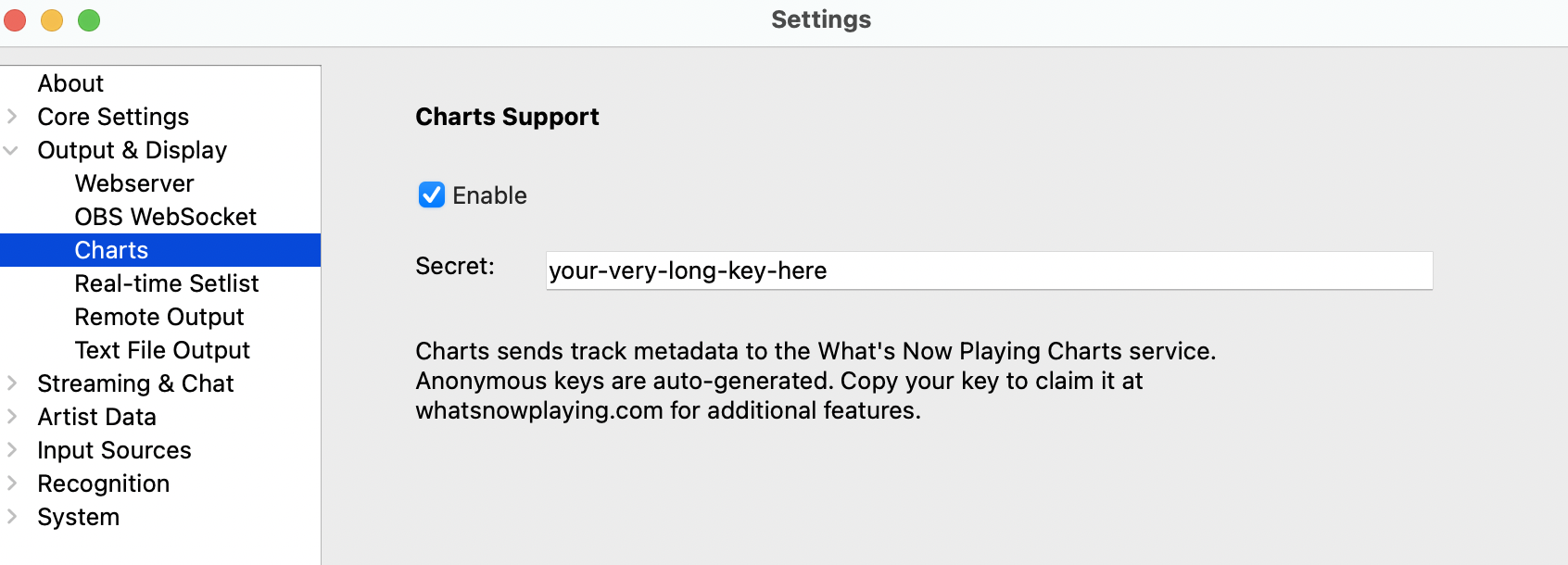
Note: Your plays appear on the charts immediately, even before creating an account. The anonymous key lets you start contributing right away — create an account later to claim your data.
Sign up using your Twitch or Kick credentials to claim your anonymous key and unlock your full profile. Once claimed, your public profile at whatsnowplaying.com/profile/your-username shows:
whatsnowplaying.com/guessgame/your-username where viewers can guess your current track live with a leaderboard
👀 Want to see what a profile looks like? Check out modernmeerkat's profile as a live example.
Already have an account? Just log in and go to your dashboard to claim your anonymous key.
 Twitch
 Kick
Kick